Draw the lines. It does the waiting.
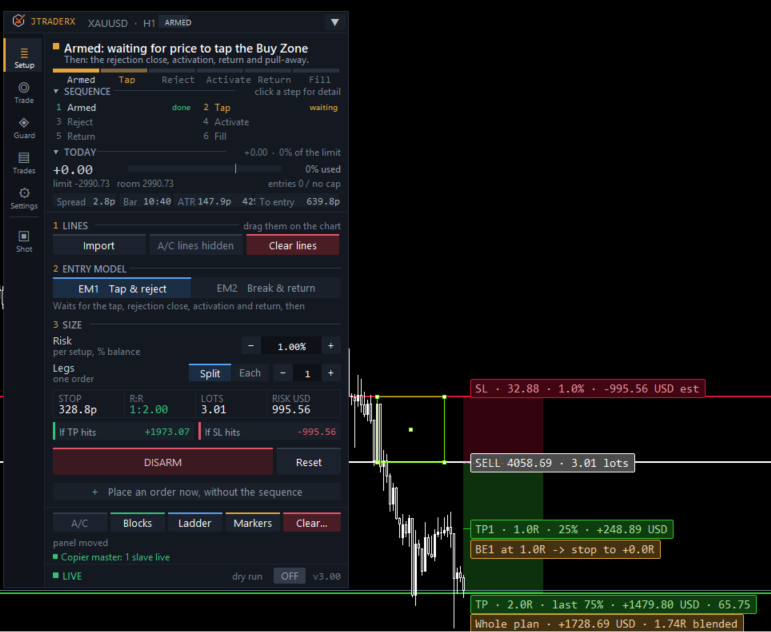
You place entry, stop and target on the chart. JTraderX watches for the tap, the rejection close, the activation and the return, then takes the trade and manages it to your rules.
A sequence, not a signal.
Most setups fail for a reason that has nothing to do with the analysis: you weren’t at the screen when price came back, or you were, and you took it too early.
JTraderX is the part in between. You draw the scenario, it enforces the sequence, and it only trades when every condition has happened in the right order. The rail shows where you are and why it’s waiting.
Sized before it fires.
Risk as a percentage, a fixed amount or fixed lots, worked out from the stop you drew. Laddered entries with risk split across the legs or applied to each.
Sample prices: −18.4p is 1.00R, −$100. +36.8p is 2.00R, +$200.
Three ways in.
A spread limit that holds the setup rather than dropping it, laddered legs, and a dry run that reports what it would have done.
It knows when to give up.
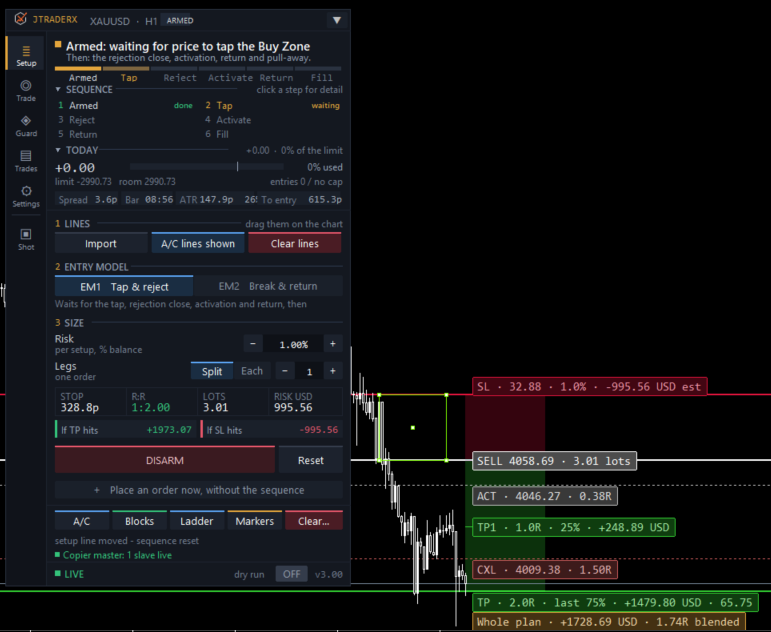
A cancel line drops the setup when the move goes without you. The stop line drops it if price breaks through first. No stale orders.
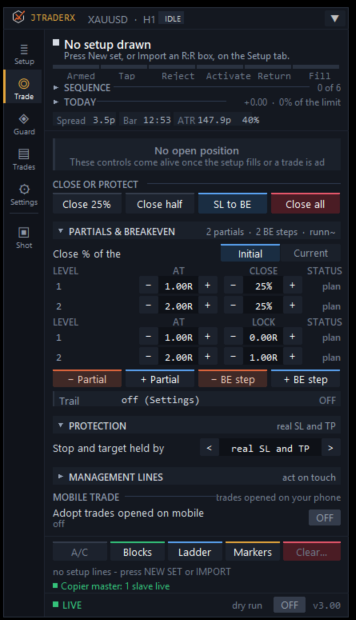
Managed afterwards.
Every account keeps its own rules.
Measured against the day’s starting balance and rolled at the hour you choose, to match your firm rather than your broker.
Real, virtual or both.
Real stops, virtual stops held by the EA, or virtual with a disaster stop behind them. Switch between them mid-trade and the levels carry across.
Positions opened from your phone are adopted, given a stop and target, and managed like its own.
Try the panel.
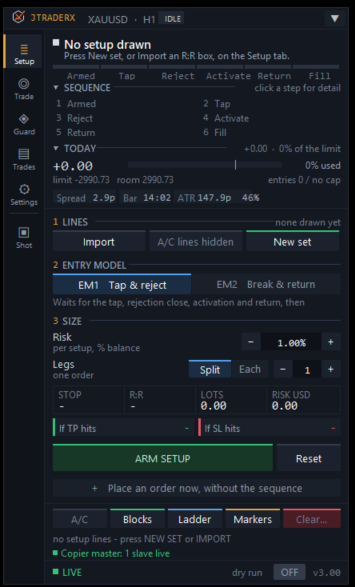
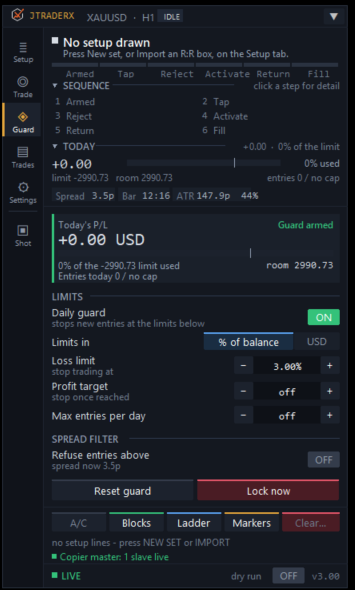
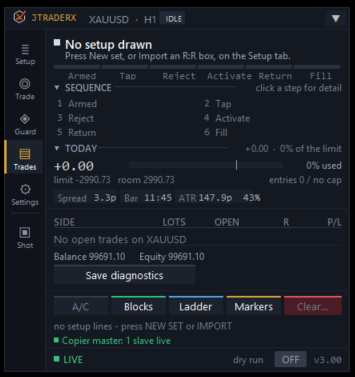
Idle, waiting for the sequence, in a trade, or locked by the daily guard. Every button works.
On a real chart
Screenshots of JTraderX 3.00 in MetaTrader 5. Click one to see it full size.
What JTraderX adds to the rest
It has its own panel and needs nothing else, but it sits naturally beside the other tools.
With JTrader Copier
Every sequence it fills is repeated across your other accounts, each sized for itself.
With JournalX
The journal records which model fired, where the activation sat, and which ladder steps hit.
With the Suite
Draw the R:R lines with JTechnical Tool, press Import, and they become a JTraderX setup.
One licence. One MT5 account at a time.
Runs on one MT5 account at a time, with two moves to a new account or broker. Updates and support included.
Card through Stripe. Prefer PayPal? Choose it on the pricing page. 14 days to change your mind: see the refund policy.
Questions
How is this different from the Suite?
The Suite reads the chart and marks the levels for you; JTraderX expects you to draw them. If you already know where your levels are and want execution, this is the smaller, cheaper tool.
Can I use both?
Yes, though most people pick one engine per chart. They are alternatives, not a pair.
Does it work on a demo account?
Yes, and the trial is meant to be used that way.
What happens if my terminal closes mid-sequence?
Nothing is closed because a program stopped running. When it starts again, an open trade carries on with its stop, R and ladder progress, and resting orders are picked up again. A setup that was still waiting starts its sequence again from the beginning; the lines stay where you drew them.
Is there a dry run?
Yes. Everything runs except the orders, and each point that would have traded says what it would have done.
Read the user manual (PDF, 39 pages, 1.4 MB, for version 3.00). It covers installation, every input and troubleshooting. Anything else, ask support. A person replies.